Get AI tools training as a gift
4.9
UI/UX Designer: Course that gets you job-ready

Learn online from scratch
90%
of students had no technical background or IT experience
Course updated for 2026
100%
updated curriculum aligned with employer requirements

6 500+ Mate graduates are already working in IT
rating based on Google reviews
UI/UX designer: Salary
$1,600
+22%YoY salary growth. Source: DOU
Who is UI/UX designer?
UI/UX design isn't just about "pretty websites." It's about making interfaces intuitive, user-friendly, and delivering a seamless experience. Designers craft websites and apps that people actually want to use — analyzing user behavior, testing ideas, choosing the right colors, fonts, and layouts. The best part? You can start from scratch and become a web designer online — with a course designed to help you land a real job.

In-demand design skills
You won't just learn design theory — you'll be fully ready to work as a UI/UX designer.
Experienced design mentors
Professional web designers will review your work, provide feedback, and host live Q&A sessions to help you grow.
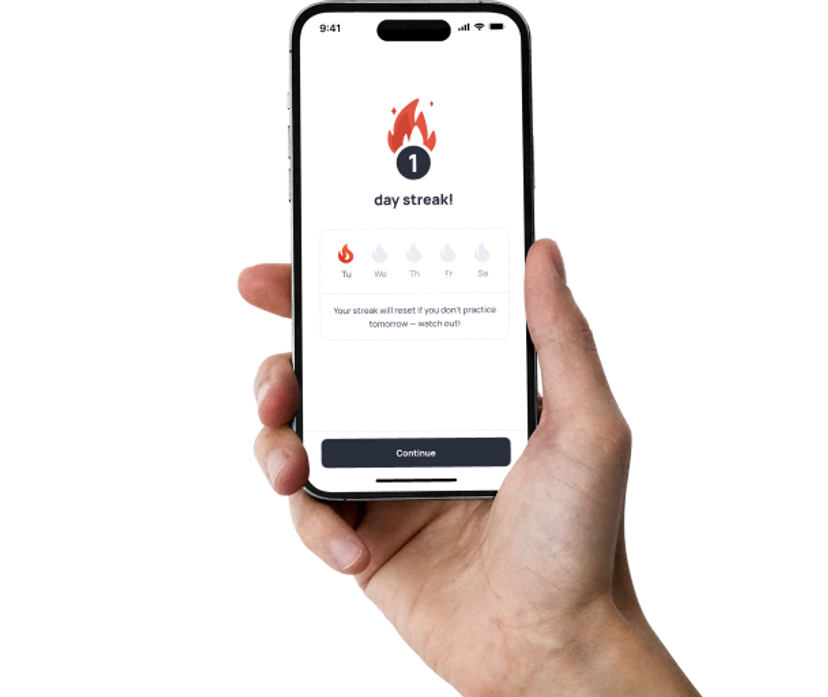
All-in-one online platform
You'll get access to video lessons, design exercises, team projects, and briefs — covering the essential foundations of UI/UX design.
What You'll Get from the UI/UX Design Course

Job referrals
Early access to job openings before they're publicly listed
English lessons
Interview-ready design skills and teamwork experience

Job search tips
Help crafting your resume and cover letters for UI/UX roles

AI skills module
The ability to use AI tools — from writing copy to generating ideas

Mock interviews
A chance to practice before real interviews and get career advice
*You can buy English lessons separately.
FORMAT COMPARISON
Which studying format suits you?
Weekdays, 9 am - 6 pm
In your free time

This might be your CV

Marta K.
UI/UX designer
Skills
- Know how to analyze competitors and trends
- Have experience in research on user needs and behavior
- Can develop product structure and navigation
- Can prepare mockups for developers
- Design websites and applications
- Adapt designs for mobile devices
- Know how to assess design usability for the audience
- Can work with business metrics to improve the product
Technologies





90%
of Mate grads entered the tech field for the first time
Mate grads cases
Build your portfolio while you learn
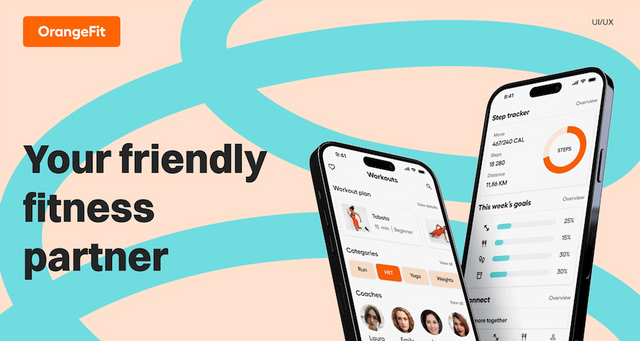
Led user interviews and built the complete user journey, including onboarding, activity tracking, goal setting, and reminders.
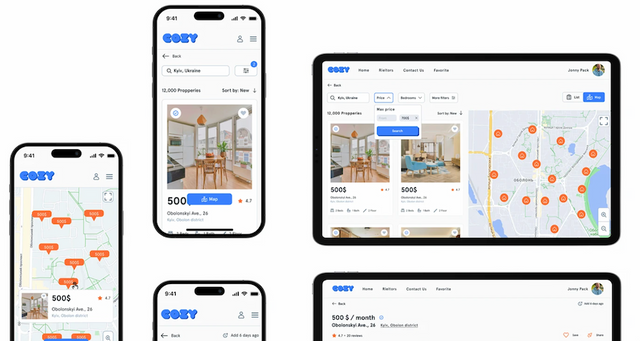
Designed a housing marketplace prototype from scratch with an emphasis on simplicity and an intuitive search experience.
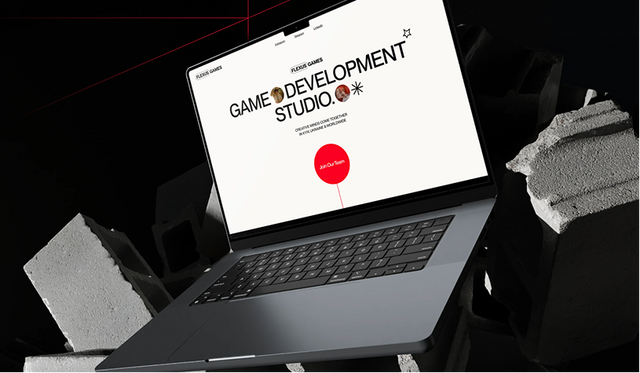
Designed a website that stands out with its originality and vividly communicates the brand identity.
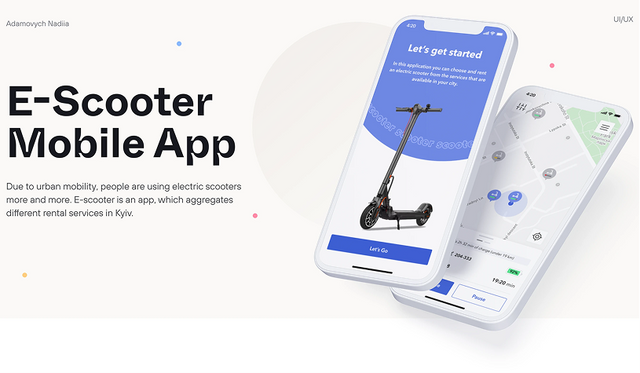
Conducted 40 user interviews before designing the interface and functionality of a user-friendly micromobility app.
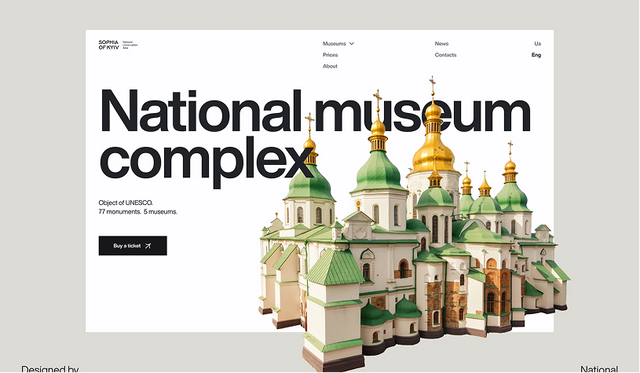
The goal: give users quick access to all museum information and ticket purchasing — with stylish visuals, responsive design, and accessibility.
What's covered
Course roadmap
Get Started
3 topics
Design Basics
5 topics
Develop intuitive and stylish designs for users
Topics
- Figma Essentials
- UI
- UI Controls
- Components. UI Kits
- Design Workflow
GenAI Essentials
6 topics
Learn how to use GenAI responsibly and effectively.
Topics
- How GenAI Works
- Limitations of GenAI
- Prompting
- Responsible Use
- GenAI for Learning
- How to Keep Up With AI
Course Fundamentals
2 topics
We want you to join the course prepared and move fast with the group when it starts. Reading theory and doing the tasks below will increase your productivity during the course and in a long run help you be employed in a better company with a higher salary.
Topics
- How to learn effectively
- Figma practice
UX Design
9 topics
In this module, you’ll see how research helps you design products people actually love. You’ll learn to ask the right questions, talk to users, and uncover insights that shape great UX decisions.
Topics
- Introduction
- Design Process
- UX Research
- Interface Patterns
- Ideation & Prioritization
- Design Artifacts & User Flows
- Prototyping
- Usability & Testing
- Presentation & Demo Skills
Design Basics Extended
4 topics
We'll take a closer look at the fundamental principles and laws of visual design and learn how to use them in our work, which will help you create high-quality UI in the future. We will also deepen and consolidate the knowledge of UI elements used in everyday work.
Topics
- Law of Proximity
- Law of Common Region
- Negative space
- Contrast
Communication and Stress Management
7 topics
This module is designed to enhance your communication skills and overall soft skills. You’ll learn how to communicate effectively, feel confident during job interviews and public speaking, master techniques to manage stress, and much more. The best part? The module includes 28 practical tasks that will significantly boost your skills and help you see noticeable progress.
Topics
- Introduction to Communication & Stress Management
- Confidence Building and Stress Management
- Diction, Filler Words Reduction, and Body Language
- Public Speaking
- Job Interview
- Written Communication
- Social Media Communication Skills Development
UI Design — Mobile App Design
7 topics
We'll finally dwell over pixels and work our way to an aesthetically pleasing look, providing an even better user experience. At the finish line, you'll have a ready-for-development mobile design.
Topics
- Grids
- Mobile Interfaces
- Interface Patterns & Trends
- Colors & UI
- Typography & UI kits
- Design Gestalts and Rules
- Handoff Preparation
Web Interfaces
11 topics
Mobile apps — been there, done that, so now it's time to come up with user-friendly web interfaces. We'll use this opportunity to enrich your portfolio, too!
Topics
- Scrum Methodology
- Gathering Data From Interviews
- Personas and User Stories
- Product Hypotheses
- Prototyping
- Composition and Typography
- Graphic Rhymes
- Adaptive Design
- How to Present Your Work
- Project Presentation
- Design Systems
Portfolio Cases on Behance
5 topics
First: It's high time for you to get acquainted with the motion magic and prepare first animations. Then: we'll get your portfolio over to Behance, getting you ready for the labor market.
Topics
- Behance Overview
- Case Structure
- Trends
- Case Design Tips
- Second Behance Case
Creative Web
6 topics
We'll dive deep into UI and create a custom website concept that will be turned into another project for your portfolio. You will have a lot of practice and experiments with composition, typography, colors, and other visual content.
Topics
- Design exploration
- Site structure and mood board
- Wireframing
- Concept creation
- Adapting design
- Third Behance case
Team Project
7 topics
In 4 weeks, you will create a product from scratch in teams with colleagues from other areas, following Scrum methodology, and present the results to your mates. In the end, you will have another project to add to your resume and gain invaluable real-world experience.
Topics
- Week 0: Team Project. Intro
- Week 1: Jira Environment
- Week 2: Status Check
- Week 3: Estimates
- Week 4: How to Demo Your Work
- Final Week: Retrospective
- Team Project for Employment
Employment
9 topics
Ready to enter the tech market? Well... we'll get you ready — with a great resume, cover letter, a LinkedIn profile and mock interviews. Recruiters are in for a true discovery!
Topics
- Employment Roadmap
- Preparing Your Resume
- Interview Preparation
- Cover Letter Preparation
- LinkedIn, DOU, Djinni
- How to Find and Apply for Vacancies
- Job Search Tips: Talking to Recruiters
- Work details FAQ
- MilTech
Using AI for Work
4 topics
Boost your productivity with AI — simple, practical, no coding or technical background required.
Topics
- Introduction to AI
- Working with Claude
- Vibe coding
- AI for Video Generation
Claude Code
59 topics
By the end of this course, you'll use Claude Code confidently in your real daily work - setting it up, shaping it to your own projects, connecting it to your tools, and running several agents at once. You'll finish with a complete, shareable setup built on a codebase of your own.
Topics
- Meet Claude Code and get it running
- Your first Claude session
- How Claude actually makes a change
- Permission modes: staying in control
- Headless mode: quick answers without the chat
- Resuming and managing sessions
- Slash commands and checking your context
- Running Claude Code in your editor
- Running long commands in the background
- What CLAUDE.md is and why it loads every session
- Conventions, build commands, architecture
- Writing rules that stick
- Scope: project-level vs. user-level vs. nested files
- When not to use CLAUDE.md
- Project rules & permissions
- Output styles: choosing how Claude responds to you
- Set up Claude on a real project
- The plan-then-execute mindset
- Entering and reading a plan in plan mode
- Approving, editing, and looping on a plan
- Model tradeoffs: Opus vs. Sonnet vs. Haiku
- Switching models mid-session
- The opusplan hybrid
- Managing context and cost across the loop
- How Claude works with your repo: status, diffs, history
- Committing well: staging and writing good commit messages
- Branches and pull requests
- Reviewing code and PRs with Claude
- Resolving merge conflicts
- Ship a change end to end
- What MCP is: Claude Code as a client to external tools
- Adding an MCP server
- Using MCP tools inside a session
- Scoping and managing servers: project vs. user
- MCP safely: permissions, secrets, and trust
- Letting Claude use CLI tools
- CLI tools vs. MCP servers: when to use which
- Claude skills
- CLAUDE.md vs. skills
- Creating a skill
- Organizing & reusing skills
- Custom slash commands: turning a repeated prompt into a one-word shortcut
- Passing arguments to a command
- What hooks are: actions that run on their own at key moments
- Common hooks: auto-format after an edit, block a risky command, run a check
- Writing and scoping your own hook
- Running Claude without you: CI, scheduled jobs, and pre-commit
- Wire Claude into your stack
- What a subagent is: isolated context, returns only results
- Built-in subagents: Explore, Plan, general-purpose
- Why parallel subagents help: context hygiene and speed
- Creating a custom subagent
- Tool and MCP permissions for subagents
- Orchestrating multiple subagents in parallel
- What a plugin is: one bundle of commands, skills, subagents, hooks, and MCP
- Installing and toggling plugins with /plugin, and the marketplace
- Building your own plugin from the pieces you've already made
- Sharing a plugin with your team
- Build a multi-agent workflow
HTML + CSS Basics
16 topics
Next up: introduction to HTML and CSS. Find your way around fonts, semantics, responsiveness, selectors and specificity, media queries, links, and forms.
Topics
- Environment Setup
- HTML Basics
- CSS Basics
- Colors and Fonts
- Box Model Basics
- Semantic Basics
- Responsiveness Basics
- CSS Selectors
- Pseudo-Elements and Pseudo-Classes
- Specificity
- Links and URLs
- Images
- Media Queries
- Forms
- Position
- Extra Topics
Career Development
For full-time students9 topics
Module that will help you confidently pass your probation period, develop a professional development plan, prepare for performance reviews, and learn how to record your achievements. It provides practical tools for conscious career growth and preparation for new opportunities.
Topics
- Succeeding in Your Trial Period
- Personal Development Plan (PDP)
- Performance and Salary Reviews
- CV and LinkedIn Profile
- Cover Letter Preparation
- Interview Preparation
- DOU, Djinni
- How to Find and Apply for Vacancies
- Job Search Tips: Talking to Recruiters
169
Topics
3
Projects
From zero to hired
What’s your path to becoming a UI/UX designer?
Land your job in tech
Start your new job as a UI/UX designer.
Get in touch
Do I need a technical background? When can I start?
- We'll answer all your questions
- Help you choose the right course
- Get you in on our best deals
Skill level after the course
Mate graduates ace technical interviews
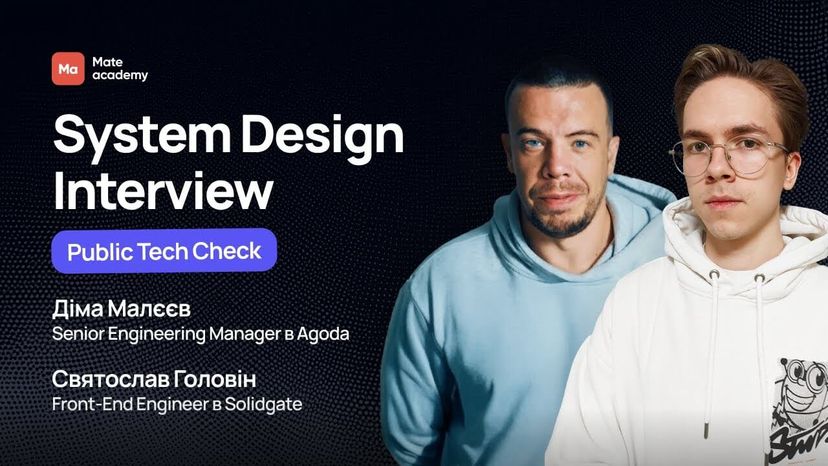





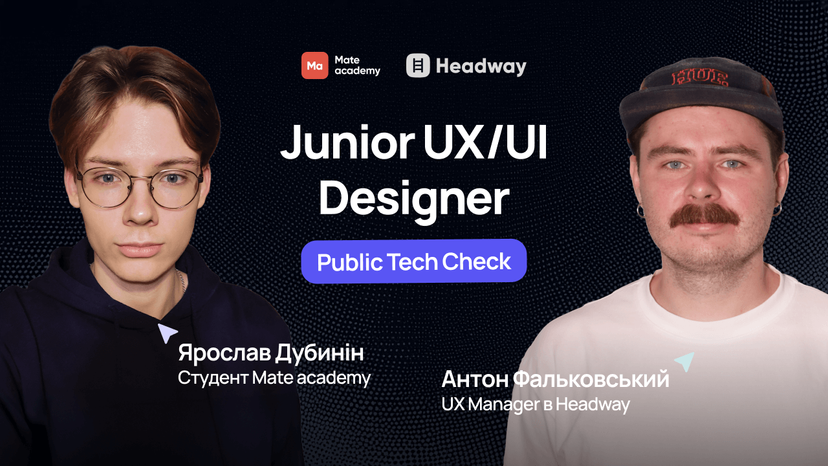




























Who will guide you?

Coaches

Mentors

English Teachers

Education coordinators

Employment coordinators

Get in touch
Let's get in touch
- We'll answer all your questions
- Help you choose the right course
- Get you in on our best deals
Faq
Got questions? We’ve got answers
What's the difference between full-time and flexible formats for the UI/UX Design course?
Full-time format – ideal if you want to dive in and become a designer fast:
Online study from 9:00 to 18:00, Monday to Friday
Regular webinars, Q&A sessions, and hands-on tasks
Constant support from mentors and group collaboration
Not suitable if you're working or studying at the same time
Flexible format – perfect if you want to learn design at your own pace:
Study anytime — in the morning or after work
Full access to mentors, group chat, and Q&A support
Lifetime access to the learning platform and all materials
Easily combine the course with work, freelancing, or university
Both formats give you:
Practice on real cases and portfolio projects
A certificate you can showcase on LinkedIn or during job interviews
Job search support for UI/UX and digital roles
Opportunities to work in Ukraine or remotely
Will I get a certificate after the UI/UX Design course?
Yes! You'll receive a designer certificate upon completing the course. It confirms your skills in interface design, user experience, prototyping, and using key design tools. You can add it to your resume, LinkedIn profile, or present it at job interviews. Many Mate graduates use this certificate to land their first UI/UX roles.
What if I'm unsure whether design is right for me?
Do I need math or a tech degree to become a UI/UX designer?
No. You don't need a technical background or advanced math skills to join this course. Mate students come from all kinds of backgrounds — and 9 out of 10 start with zero experience.
The course is designed to help you master every key design skill step by step: from UX research to UI creation. And the best part? It's all hands-on, inside a job-oriented online program.
How do I enroll in the UI/UX Design course, and are there age limits?
Enrollment is easy — just fill out the application. Then, depending on your chosen format:
Full-time format:
Take a logic test
Do a short interview
Start online classes within days
Must be 16+ (with parental consent)
Flexible format:
A manager will contact you after you apply
You'll get details on pricing and curriculum
Start learning at your own pace after payment
Minimum age is 15 (but job guarantee applies only if you can work legally by graduation)
Why are you confident I'll get a design job after the course?
We've spent 11 years helping beginners launch tech careers. This course was designed to turn beginners into competitive interface designers.
Here's why it works:
80% of the course is hands-on practice on real cases
The curriculum is regularly updated to reflect market demand
Mentors give detailed feedback and guide you through every task
Our career team supports you until your first offer — helping with your resume, LinkedIn, and interview prep
Most of our students land their first UI/UX job right after finishing the course.
How does the money-back guarantee work for the design course?
We're confident in the quality of this training — so we offer a results-first financial model.
Full-time format:
Study for free — no upfront payment
Start paying 12% of your salary only after you get a UI/UX job
Don't find a job? You owe nothing
Flexible format:
Finish the course and actively job hunt for 24 weeks with our career support
If you receive no offers — we'll refund the full cost of the course
What's a typical day like in the full-time UI/UX course?
This format is ideal if you want full immersion and results in just a few months. You'll study online from Monday to Friday, 9:00 to 18:00 — and take daily steps toward your new design career.
Sample daily schedule:
09:00–10:00 — practical exercises
10:00–11:30 — session with your mentor
11:30–12:30 — lunch and break
12:30–14:00 — work on real cases
14:00–14:30 — Q&A session and feedback
14:30–17:00 — project or individual work
17:00–18:00 — recap and design tips
It's a great pace if you're ready to fully commit and land a design job quickly.
Will I only be able to work as a UI/UX designer after the course?
Graduates of the UI/UX designer course often land their first jobs in positions such as UI/UX designer, product designer, and web designer.
What will I get after completing UI/UX design courses?
You will be able to work with the following tools: Figma, Adobe XD, Sketch. You will learn to create prototypes, conduct usability testing, develop visual systems. In your hands you will have a real portfolio with real projects, a certificate of completion of the UI/UX design course. We will also help with employment.
Why is it better to take web design courses online rather than on your own?
Mastering UI/UX design is best in courses with a mentor who will help you get into the topic and prevent you from repeating mistakes. Our UX/UI designer course has a clear structure: you easily move between modules, you can return to what you have learned and gradually progress from simple to more complex. Thus, learning becomes clear, consistent and effective.
How to master the profession of Web designer from scratch?
To learn a new profession, take a web design course from Mate. You'll learn the basics: composition, color, typography, consumer logic, and more. Then learn how to use basic mockup and prototyping tools. Our web design courses focus on practice: you will work on real cases and build your portfolio. Our "UI/UX Design" course lasts from 4 (with a fixed schedule from 9:00 to 18:00 on weekdays) to 8 months (with a flexible schedule) - this is enough to master the basic skills, deepen them and pump up aesthetic perception. And eventually, you'll learn how to create visuals that work.
What kind of computer should I have for studying online web design courses?
To take web design courses, you need a PC or laptop and a stable internet connection. Recommended minimum technical specifications: Windows 11 or macOS 10.13 OS, 4th generation Intel Core i5 processor, RAM — 8 GB.

Advantages of the UI/UX designer profession?
High salary: Junior earns from $600-1000, Middle earns around $1500, and Senior earns from $3000. However, the final level of payment will depend on your skills, in particular, on the level of English (you can also improve it during the course). The demand for specialists in the field of design is steadily growing, because business understands that without high-quality visuals, it will not be possible to effectively attract users. 200+ vacancies open every month. Convenient work format: you can work at home or in the office, full day or a few hours. This is an area where you can adapt the schedule to suit yourself. In UI/UX design, aesthetics and analytics are combined — creativity meets logic. Specialists after the UI/UX design course work on sites, applications, landing pages, visuals for media and social networks — there is room for ideas and experiments everywhere.
Career prospects after the UI/UX design course
After completing a course in UX/UI design, several career paths open up for you: UI Designer, UX Designer, Web Designer, Product Designer, etc. At the start, you will be able to apply for the position of Junior Designer. With experience, active participation in projects and good results, you will be able to gradually grow to Middle and Senior levels. Career growth and salary level depend on your experience, initiative and success of implemented projects. Everything is in your hands! After studying web design, you can get a job in a product company and be part of a team, you can work in an agency and work on various projects, or you can go freelance and develop your personal brand.
Who are online web design courses for?
To take a UI/UX design course, you need a computer, time, developed visual perception and imagination. For beginners without design experience Our free web design courses will help you create your first projects from scratch. Graphic designers to expand their skills New knowledge, skills and tools will help to dive deeper into the specifics of the digital environment and the IT sphere. For marketers seeking to better understand the user experience Studying UI/UX design will help you better analyze visual solutions and interact more effectively with designers. Creative people who master a new profession An understandable format, a lot of practice and feedback from mentors will help you confidently start in IT.
How is the training on the UI/UX designer course?
We offer two formats of UI/UX design training: free courses that involve training from 9:00 to 18:00 and payment after employment, and courses with a flexible schedule - you pay for training in advance, but study at a time convenient for you. Our online web design courses include: Mastering the theory in video lectures and webinars is only 20% of the training. Development of skills in practical classes and development of real projects — 80%. Individual feedback from mentors and analysis of errors. Communicating with classmates in chat rooms or via video call. Preparation of a resume, portfolio and job placement. Our UI/UX design courses with employment will help you take the first confident steps towards a successful career.