












Find my course

Start date: September 4, 2026

Weekdays 9 AM – 6 PM

UI/UX designer: free course

Master UI/UX Design in 4 months and launch your IT career with our career support.

Cover image with people

Free until employment

Pay a percentage of your first IT salary — we've been getting people hired since 2014.

3 years of career support

A Career Manager supports you at every step until you land the job

Interactive group learning

Dive into IT with a coach and mentors: 8 hours of practice and training a day

For those who want to

Become job-ready fast

Background image with career test results showing developer professions

Put your energy into learning. You’ll pay once it pays off — after you’ve got the job.

Commit and achieve

Background image with a person holding a laptop and career consultation interface

Go all in — learn from 9 to 6, Monday to Friday, and build the skills that get you hired.

Study now — pay with your first IT salary

In the full-time format, you take the course for free and start paying only after launching your IT career — 12% of your salary over 3 years.

View agreement
Background image with man smiling
  • Luxoft
  • MacPaw
  • Microsoft
  • N-іX
  • Oracle
  • Preply
  • Ryanair Labs
  • Sigma Software
  • SoftServe
  • 3Shape
  • Uber
  • WIX
  • Luxoft
  • MacPaw
  • Microsoft
  • N-іX
  • Oracle
  • Preply
  • Ryanair Labs
  • Sigma Software
  • SoftServe
  • 3Shape
  • Uber
  • WIX
  • Luxoft
  • MacPaw
  • Microsoft
  • AJAX
  • Amazon
  • Appflame
  • BetterMe
  • Capgemini
  • Ciklum
  • Doc.ua
  • EPAM
  • Genesis
  • GlobalLogic
  • Google
  • Intellias
  • AJAX
  • Amazon
  • Appflame
  • BetterMe
  • Capgemini
  • Ciklum
  • Doc.ua
  • EPAM
  • Genesis
  • GlobalLogic
  • Google
  • Intellias
  • AJAX
  • Amazon
  • Appflame
  • AJAX
  • Amazon
  • Appflame
  • BetterMe
  • Capgemini
  • Ciklum
  • Doc.ua
  • EPAM
  • Genesis
  • GlobalLogic
  • Google
  • Intellias
  • Luxoft
  • MacPaw
  • Microsoft
  • N-іX
  • Oracle
  • Preply
  • Ryanair Labs
  • Sigma Software
  • SoftServe
  • 3Shape
  • Uber
  • WIX
  • AJAX
  • Amazon
  • Appflame
  • BetterMe
  • Capgemini
  • Ciklum
  • Doc.ua
  • EPAM
  • Genesis
  • GlobalLogic
  • Google
  • Intellias
  • Luxoft
  • MacPaw
  • Microsoft
  • N-іX
  • Oracle
  • Preply
  • Ryanair Labs
  • Sigma Software
  • SoftServe
  • 3Shape
  • Uber
  • WIX
  • AJAX
  • Amazon
  • Appflame

6 000+

employed Mate academy grads

880+

of them got employed in 2025

700+

partner companies hired Mate students

6 000+

employed Mate academy grads

880+

of them got employed in 2025

700+

partner companies hired Mate students

How to enroll

A quiz
1

A quiz

We'll guide you to the right track, and you'll complete a quick logic test

Submit application
Interview
2

Interview

Let's get to know each other and answer all your questions about the training and its format.

Training
3

Training

Begin your path in IT — with support at every step and confidence in the results.

Your perks in a full-time course

Immersive learning format

Up to 8 hours a day: live interactive sessions with a coach, hands-on assignments, mentor Q&As, and English classes 2–4 times a week.


Immersive learning format

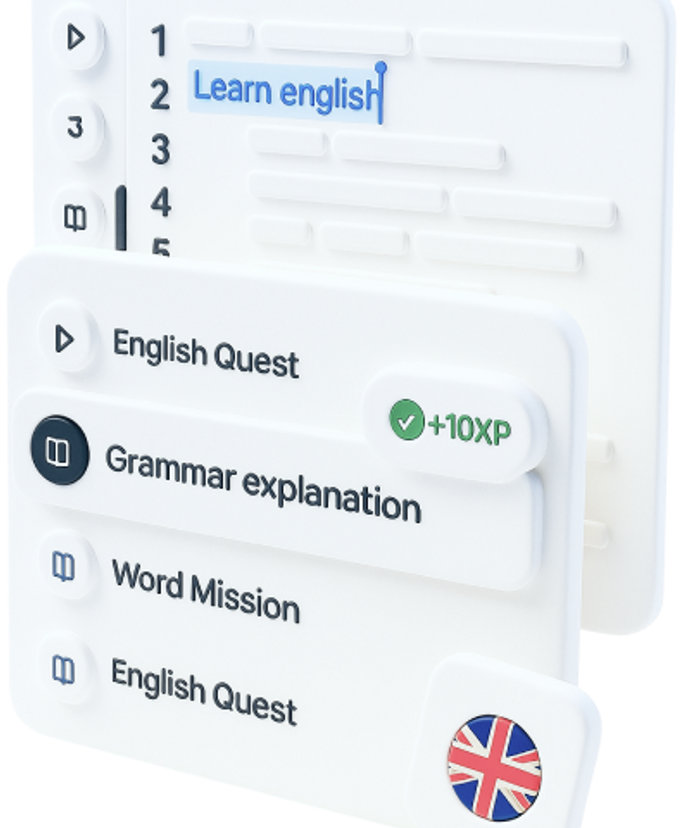
English courses for three years

Free online lessons with top-notch teachers and native speakers.
English courses for three years

Mentor support

Mentors and coordinators help you stay on track and keep up the pace throughout the course.

Mentor support

A strong community

Events, networking, and a community that keeps inspiring you long after graduation.

A strong community

What if...

I don't know anything about tech?
Emoji bold man thinking
Emoji male punching
9 out of 10 Mate students started from scratch. We'll teach you everything you need - all that matters is your desire and time!
My English is not great?
Emoji curly male thinking
Emoji male hugging
Don't worry if your English isn't perfect yet. With our English course, you'll start from the basics and confidently reach Intermediate and beyond.
I won't pass the selection test?
Emoji female thinking
Emoji male like
You can take it once more! But crucially – don't forget that your true abilities will kick in during your studies.

How the program works

From zero to a job in IT

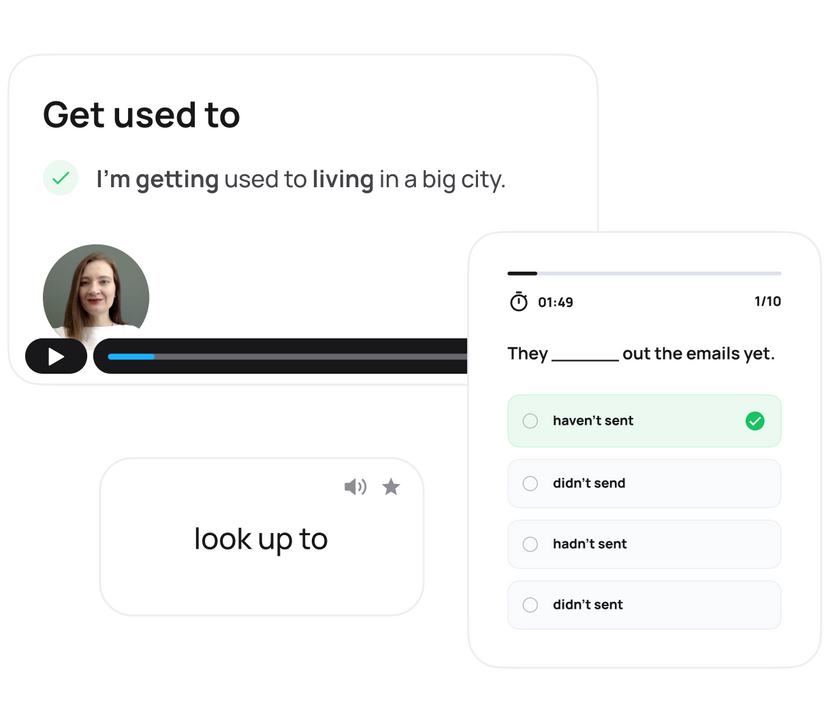
Learn through practice

Watch video lessons, build new skills, and reinforce them with hands-on tasks.

Learn through practice

Get mentor support

Mentors are there to answer questions and help you tackle the tough parts.
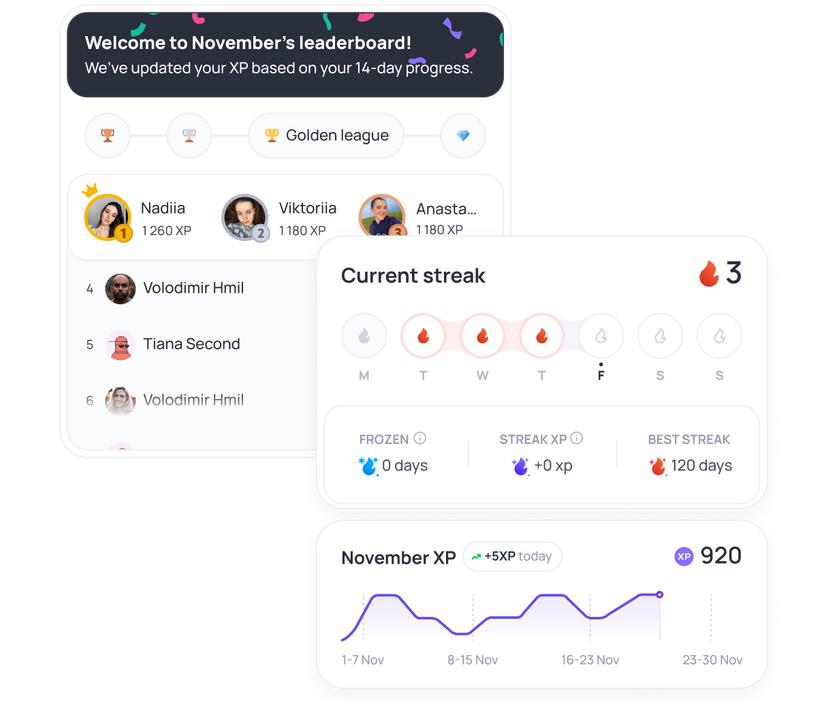
Get mentor support

Grow with the community

Join group calls, discuss ideas, and learn alongside like-minded peers.

Grow with the community

Build your portfolio

Create real projects that showcase your skills and strengthen your portfolio.
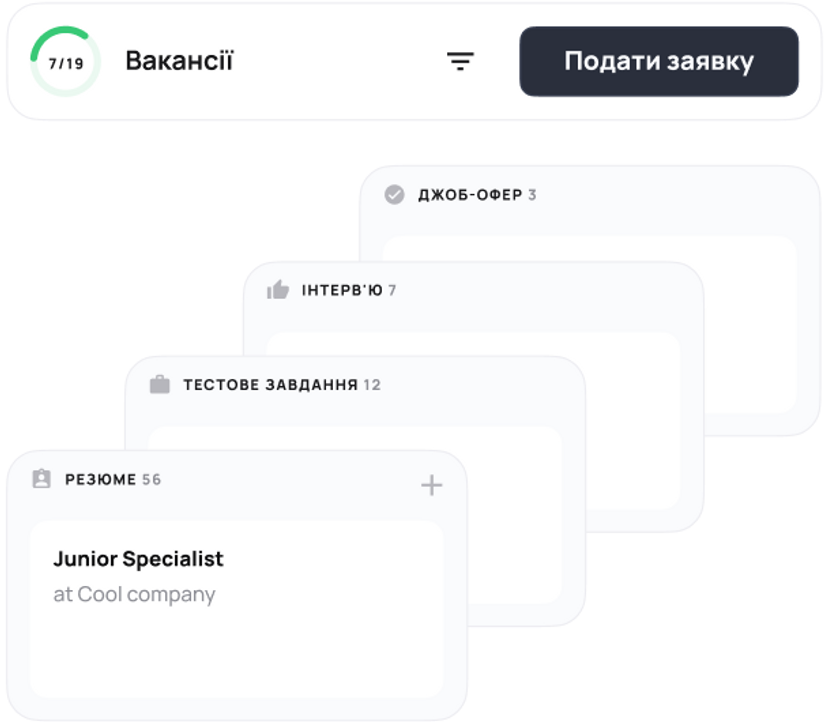
Build your portfolio

Start your IT career

Land your first offer and launch with confidence — we'll be with you at every step.
Start your IT career

What's covered

Course roadmap

  • Get Started

    3 topics

    Learn how studying at Mate academy is organized: how the platform works, how interaction with mentors is structured, what the program includes, and get tips on how to study effectively and manage your time.

    Try now

    Topics

    • How Education Process Works
    • How Employment Process Works
    • How to Study Effectively
  • Design Basics

    5 topics

    Develop intuitive and stylish designs for users

    Topics

    • Figma Essentials
    • UI
    • UI Controls
    • Components. UI Kits
    • Design Workflow
  • GenAI Essentials

    6 topics

    Learn how to use GenAI responsibly and effectively.

    Topics

    • How GenAI Works
    • Limitations of GenAI
    • Prompting
    • Responsible Use
    • GenAI for Learning and Work
    • How to Keep Up With AI
  • Course Fundamentals

    2 topics

    We want you to join the course prepared and move fast with the group when it starts. Reading theory and doing the tasks below will increase your productivity during the course and in a long run help you be employed in a better company with a higher salary.

    Topics

    • How to learn effectively
    • Figma practice
  • UX Design

    9 topics

    In this module, you’ll see how research helps you design products people actually love. You’ll learn to ask the right questions, talk to users, and uncover insights that shape great UX decisions.

    Topics

    • Introduction
    • Design Process
    • UX Research
    • Interface Patterns
    • Ideation & Prioritization
    • Design Artifacts & User Flows
    • Prototyping
    • Usability & Testing
    • Presentation & Demo Skills
  • Design Basics Extended

    4 topics

    We'll take a closer look at the fundamental principles and laws of visual design and learn how to use them in our work, which will help you create high-quality UI in the future. We will also deepen and consolidate the knowledge of UI elements used in everyday work.

    Topics

    • Law of Proximity
    • Law of Common Region
    • Negative space
    • Contrast
  • Communication and Stress Management

    7 topics

    This module is designed to enhance your communication skills and overall soft skills. You’ll learn how to communicate effectively, feel confident during job interviews and public speaking, master techniques to manage stress, and much more. The best part? The module includes 28 practical tasks that will significantly boost your skills and help you see noticeable progress.

    Topics

    • Introduction to Communication & Stress Management
    • Confidence Building and Stress Management
    • Diction, Filler Words Reduction, and Body Language
    • Public Speaking
    • Job Interview
    • Written Communication
    • Social Media Communication Skills Development
  • UI Design — Mobile App Design

    7 topics

    We'll finally dwell over pixels and work our way to an aesthetically pleasing look, providing an even better user experience. At the finish line, you'll have a ready-for-development mobile design.

    Topics

    • Grids
    • Mobile Interfaces
    • Interface Patterns & Trends
    • Colors & UI
    • Typography & UI kits
    • Design Gestalts and Rules
    • Handoff Preparation
  • Web Interfaces

    11 topics

    Mobile apps — been there, done that, so now it's time to come up with user-friendly web interfaces. We'll use this opportunity to enrich your portfolio, too!

    Topics

    • Scrum Methodology
    • Gathering Data From Interviews
    • Personas and User Stories
    • Product Hypotheses
    • Prototyping
    • Composition and Typography
    • Graphic Rhymes
    • Adaptive Design
    • How to Present Your Work
    • Project Presentation
    • Design Systems
  • Portfolio Cases on Behance

    5 topics

    First: It's high time for you to get acquainted with the motion magic and prepare first animations. Then: we'll get your portfolio over to Behance, getting you ready for the labor market.

    Topics

    • Behance Overview
    • Case Structure
    • Trends
    • Case Design Tips
    • Second Behance Case
  • Creative Web

    6 topics

    We'll dive deep into UI and create a custom website concept that will be turned into another project for your portfolio. You will have a lot of practice and experiments with composition, typography, colors, and other visual content.

    Topics

    • Design exploration
    • Site structure and mood board
    • Wireframing
    • Concept creation
    • Adapting design
    • Third Behance case
  • Team Project

    7 topics

    In 4 weeks, you will create a product from scratch in teams with colleagues from other areas, following Scrum methodology, and present the results to your mates. In the end, you will have another project to add to your resume and gain invaluable real-world experience.

    Topics

    • Week 0: Team Project. Intro
    • Week 1: Jira Environment
    • Week 2: Status Check
    • Week 3: Estimates
    • Week 4: How to Demo Your Work
    • Final Week: Retrospective
    • Team Project for Employment
  • Employment

    9 topics

    Ready to enter the tech market? Well... we'll get you ready — with a great resume, cover letter, a LinkedIn profile and mock interviews. Recruiters are in for a true discovery!

    Topics

    • Employment Roadmap
    • Preparing Your Resume
    • Interview Preparation
    • Cover Letter Preparation
    • Google, LinkedIn, DOU, Djinni
    • How to Find and Apply for Vacancies
    • Job Search Tips: Talking to Recruiters
    • Work details FAQ
    • MilTech
  • HTML + CSS Basics

    16 topics

    Next up: introduction to HTML and CSS. Find your way around fonts, semantics, responsiveness, selectors and specificity, media queries, links, and forms.

    Topics

    • Environment Setup
    • HTML Basics
    • CSS Basics
    • Colors and Fonts
    • Box Model Basics
    • Semantic Basics
    • Responsiveness Basics
    • CSS Selectors
    • Pseudo-Elements and Pseudo-Classes
    • Specificity
    • Links and URLs
    • Images
    • Media Queries
    • Forms
    • Position
    • Extra Topics
  • Career Development

    9 topics

    Module that will help you confidently pass your probation period, develop a professional development plan, prepare for performance reviews, and learn how to record your achievements. It provides practical tools for conscious career growth and preparation for new opportunities.

    Topics

    • Succeeding in Your Trial Period
    • Personal Development Plan (PDP)
    • Performance and Salary Reviews
    • CV and LinkedIn Profile
    • Cover Letter Preparation
    • Interview Preparation
    • DOU, Djinni
    • How to Find and Apply for Vacancies
    • Job Search Tips: Talking to Recruiters

106

Topics

3

Projects

What else is included?

  • Al quizzes
  • Q&A sessions
  • Task solutions
  • Tech checks
  • Personalised guidance
  • Career tips

This might be your CV

90%

of Mate grads entered the tech field for the first time

Student's photo

Marta K.

UI/UX designer

Skills

  • Know how to analyze competitors and trends
  • Have experience in research on user needs and behavior
  • Can develop product structure and navigation
  • Can prepare mockups for developers
  • Design websites and applications
  • Adapt designs for mobile devices
  • Know how to assess design usability for the audience
  • Can work with business metrics to improve the product
  • Know how to analyze competitors and trends
  • Have experience in research on user needs and behavior
  • Can develop product structure and navigation
  • Can prepare mockups for developers
  • Design websites and applications
  • Adapt designs for mobile devices
  • Know how to assess design usability for the audience
  • Can work with business metrics to improve the product

Technologies

  • Jira Software
  • Figma
  • Google Forms
  • Google Drive
  • Maze

90%

of Mate grads entered the tech field for the first time

Don’t just take our word for it

Mate academy is trusted and loved by thousands

Find my course

Mate academy is a great team of professionals from various IT fields and specialties. I recommend their courses to everyone who is ready and eager to learn a lot of new things, practice constantly, and believe that this will definitely bring results. Thanks to Mate academy's courses and support, I received my first offer in IT from a product-based IT company.

Kostya Gorlov

Mate academy graduate

I took a course at Mate academy. I liked that everything was very well organized. The learning platform is just fantastic—videos, lots of practical tasks, useful chats, a job vacancy section, technical checks, and motivational competitions. There was excellent preparation for employment. And I especially liked the support from the team and the friendly atmosphere.

Anastasia Sukhanova

Mate academy graduate

Definitely the best courses, after which you will find a job in IT 99.9% of the time. What's required from you is desire, persistence, and hard work, and everything else will be taught to you at MATE! I've tested it on myself).

Bogdan Yaremchuk

Mate academy graduate

Don't hesitate to go to Mate academy or not—if you are ready to change your life for the better, then you should definitely come here. All the people who work here will definitely help you in any situation. The training is conducted in an interesting format (80% practice), which requires dedicating enough time to it. But I can definitely say—it's worth it!

Vlad Shulzhenko

Mate academy graduate

I would even say the only ones worth completing. I finished several others before them, they gave only 2% of the knowledge compared to everything I learned at Mate. Today I received my first IT offer, and it wouldn't have happened without Mate. If you're in doubt, just go through the free first level, and you'll understand the quality and convenience of information delivery yourself.

Halyna Petrova

Mate academy graduate

Mate educators

Learn from the industry leaders

Yevhen Ochkalenko

Yevhen Ochkalenko

Senior Product Designer

Has spent 7+ years creating advanced, user-friendly interfaces, with extensive mentoring experience

Dara Bilousova

Dara Bilousova

Product Designer at Сільпо

Product Designer at one of Ukraine's largest retailers. 5+ years of experience in digital agencies across B2B and B2C segments.

Serhii Shtyrbulov

Serhii Shtyrbulov

Senior Product Designer

Lead Product Designer with 15+ years of experience in product design. Expert in building digital products across various industries.

Volodymyr Parashchii

Volodymyr Parashchii

Product Designer at DevBrother

Product Designer and Project Lead with 7+ years of experience in design. Has worked on projects of all scales — from product teams to agencies.

Get in touch

Let's get in touch

  • We'll answer all your questions
  • Help you choose the right course
  • Get you in on our best deals
Phone

Faq

Got questions? We’ve got answers

  • How to start learning at Mate academy?

    For the full-time course, just send in your application and take the entrance test — a design quiz for UI/UX or a logic test for other tracks. After that, you can book a quick interview with our manager. We’ll chat about your experience, your interest in tech, and whether this format works for you. There’ll also be a few English questions, and, of course, we’ll answer anything you’re curious about.

    For the flexible course, it’s even simpler: submit your application, and we’ll reach out to you. On the call, we’ll walk you through all the details and help you choose the right track. Once you make the payment, you’re good to go and can start learning right away!

  • Do I need math or tech background to enroll?

    No, you don’t need math or a technical background to enroll. In fact, 9 out of 10 Mate students come from non-technical backgrounds. Our job is to teach you the skills you need and help you land a job in tech.

  • Are there any age limits for this course?

    You can apply for the full-time course starting at age 16 with your parents' permission. For the flexible course, you can begin if you’re at least 15 years old.

    The employment guarantee applies if you reach the legal working age in your country by the time you finish the course.

  • How do I choose a career path?

    If you're unsure about which career path to choose, just submit an application for a free consultation.

    Our manager will help you pick the career that best matches your skills and interests.

    Find my course
  • Will I get a certificate after the course?

    Yes, of course! Over 5000 Mate graduates are already using their certificates to showcase their skills on LinkedIn and other social media.

  • How are you so sure that l'll find a job?

    For over 10 years, we’ve been helping people kickstart their tech careers — and we’ve gotten pretty good at it.

    Our courses are built around what companies actually want, with tons of hands-on practice to get you job-ready. And you’re never on your own — we’ll guide you every step of the way, from polishing your resume to nailing your interviews.

    The best part? 80% of our grads land a tech job just a few months after finishing the course.

  • How does money-back guarantee work?

    For full-time graduates, you only start paying for your education after finding a tech job. The payment is 12% of your net salary for 36 months. If you don’t get a job, you pay nothing.

    If you finish the flexible course, actively search for a job with our support for 16 weeks, and don't receive any offers, you can get a full refund.

  • Can I combine full-time studies with work or university?

    The honest answer — better not. Classes run on weekdays from 10 AM to 6 PM, and daily focus and attendance are key to success. Balancing it with work usually leads to burnout and missed lessons.

    Our advice:

    – If you’re currently working, choose the next available group when you can fully commit.

    – Or consider our flexible learning format instead

We’re always here for you.

Memoji of male winking
Reach out on any of Mate academy's social pages!
Find my course